
Missing GTA 6 Ultimate Edition bonuses
Start with the receipt and the chapter on your current save. Ultimate vehicles appear at different points in the story. If you own the right edition and have reached the item’s unlock, check the purchase on the account you use to play.
On this page
Match the missing item to the purchase
| What is missing | What to check |
|---|---|
| Dinka Enduro or Crest Kayak | Look at Jason’s house during Chapter 1 after Gone Fishing. The bike is under the house and the kayak is by the water ramp. |
| Grotti Cheetah | Finish Honest Abe in Chapter 5, then check for a collection notification. It takes you to the underground parking garage. |
| 1955 Vapid Stanier | Check for the Vintage Vice City Pack. This sedan has its own collection task in Chapter 3. |
| Every Ultimate item | Read the edition name on the store receipt. If you bought Standard and upgraded later, look for a second purchase called Ultimate Edition Upgrade. |
Check the purchase on PS5
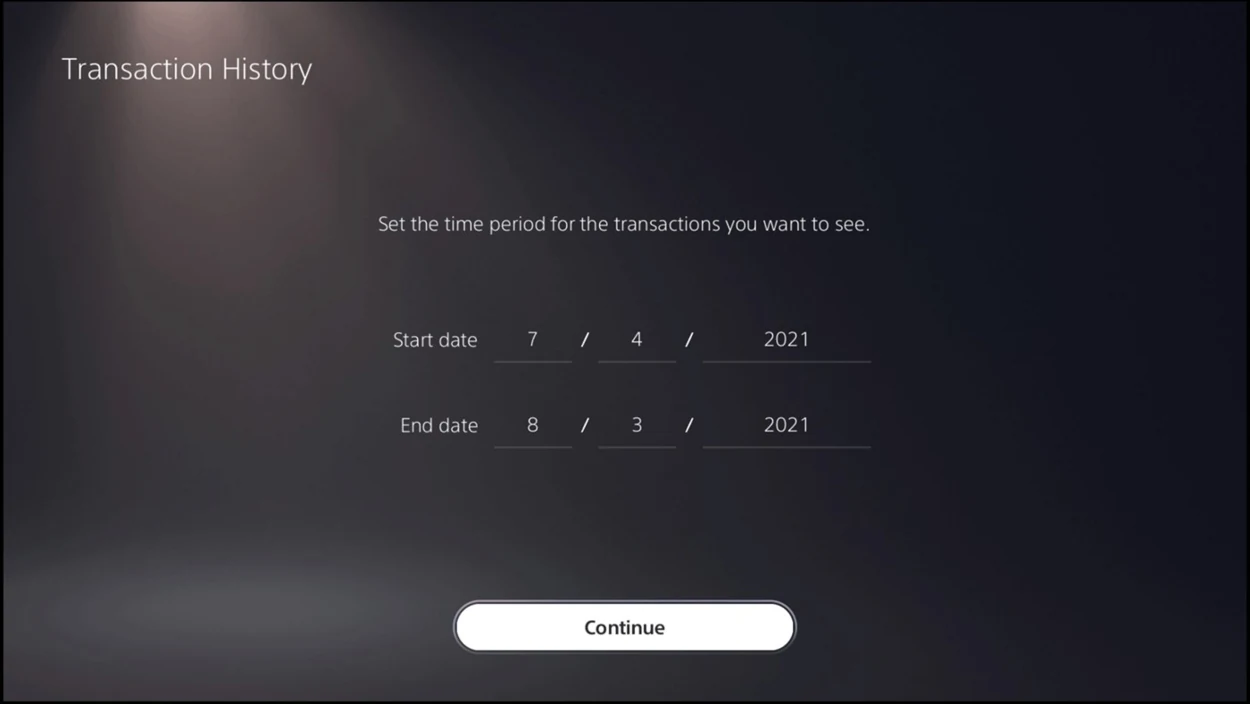
Sign in with the account that paid. In Settings, open Users and Accounts, choose Account and open Payment and Subscriptions. In Transaction History, set the date range to include the original order and any later upgrade. Open the matching purchase to read the product name.
If the purchase is there but the console still treats it as locked, highlight GTA VI in the game library and press Options. Choose Restore License. Close and reopen the game, load your save and check the item’s collection point.
Check the purchase on Xbox
Open Microsoft order history using the account that paid. Look for a completed GTA VI Ultimate Edition purchase or a separate Ultimate Edition Upgrade. A pending order or a Standard Edition receipt alone does not establish that the account owns the upgrade.
On the console, select GTA VI under My games & apps. Press Menu and choose Manage game and add-ons. Select the game tile and check the entries offered for installation. If a purchased add-on has an unchecked install box, select it and choose Save changes. Some bonuses unlock inside the game without a separate download. Reopen GTA VI on the purchasing profile and check the relevant chapter.
If the box or receipt says something else
A boxed Standard copy can have its own game voucher and a separate pack code. Check which product each voucher names. Use the account that redeemed it to verify ownership. A pack receipt covers that pack, and an edition upgrade requires the base game.
For a completed charge missing from your account, contact the store that processed it. Include the product name, purchase date and order number. If the purchase appears correctly and the in-game trigger still fails, give Rockstar Support the platform, chapter, item and last completed mission. Keep voucher codes out of public posts.