
How to redeem a GTA 6 download code
Redeem a PlayStation code in PlayStation Store. Redeem an Xbox code through the Microsoft account that will own the game. Sign in to the intended player’s account before confirming, especially if you bought the box as a gift.
On this page
Redeem on PS5
Open PlayStation Store on the console. Press Triangle to reach the menu, open More, then select Redeem Code. Enter the 12-digit voucher, confirm the product and choose Download. If you prefer a browser, sign in to PlayStation Store, open your profile and select Redeem Code.
For a boxed PlayStation copy, the North American code region includes both Canada and the U.S. If your copy came from elsewhere, check its region against your account before you redeem it.
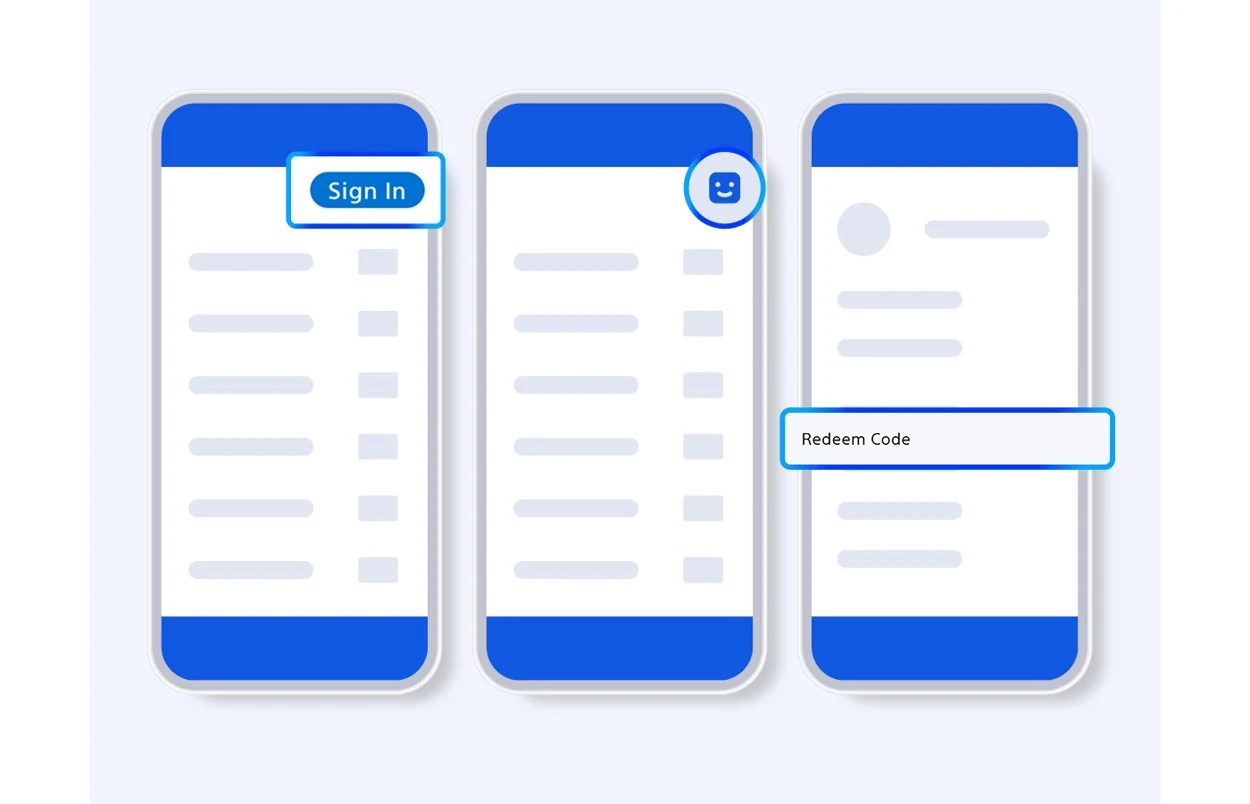
Sony opens Redeem Code in PlayStation Store. The product appears beneath the code before the final confirmation.
Find Redeem Code on PS5
- Jump to the Store’s top menuPressPS5Triangle
- Choose More, then Redeem CodePressPS5Cross
Redeem on Xbox
Sign in at Microsoft’s redemption page with the account you use on Xbox. Enter the 25-character code, select Next and review the product before confirming. Then sign in to the same account on the console and install the game from your library. Rockstar says its Xbox game download codes are region-free. That guidance concerns the game code, not store credit or subscriptions.
Match the problem to the place that can fix it
| What happened | First step |
|---|---|
| The insert is missing or the code is unreadable | Contact the retailer and keep the receipt and packaging. Sony directs buyers with this problem to the seller. |
| The code was accepted but the game is missing | Check the library and order history on the account used to redeem it. |
| The PlayStation store reports the wrong region | Compare the account’s country with Rockstar’s table for the purchased code. |
| The code is for an upgrade | Check the product name. The Ultimate Edition Upgrade adds content to an owned Standard Edition. |