
Buying guide · Monitors
Gaming monitors for a desk shared by PC and console
For a PC and PS5 sharing a desk, I’d start with the Gigabyte M27U. It takes a 4K, 120 Hz console signal and gives a PC room to go faster. I’d spend more on the Alienware AW3225QF for dark-room games where a bright crosshair stands out against a black doorway. For a PC that runs best at 1440p, I’d put the AOC Q27G3XMN on the shortlist before asking the graphics card to draw four times as many pixels as 1080p.
Recommended models by use
Gigabyte M27U
For a PC and PS5 on one desk. The 27-inch 4K IPS panel suits small text, and the built-in KVM switches a keyboard and mouse between computers.
The 4K/120 Hz console signal reduces fine color detail.
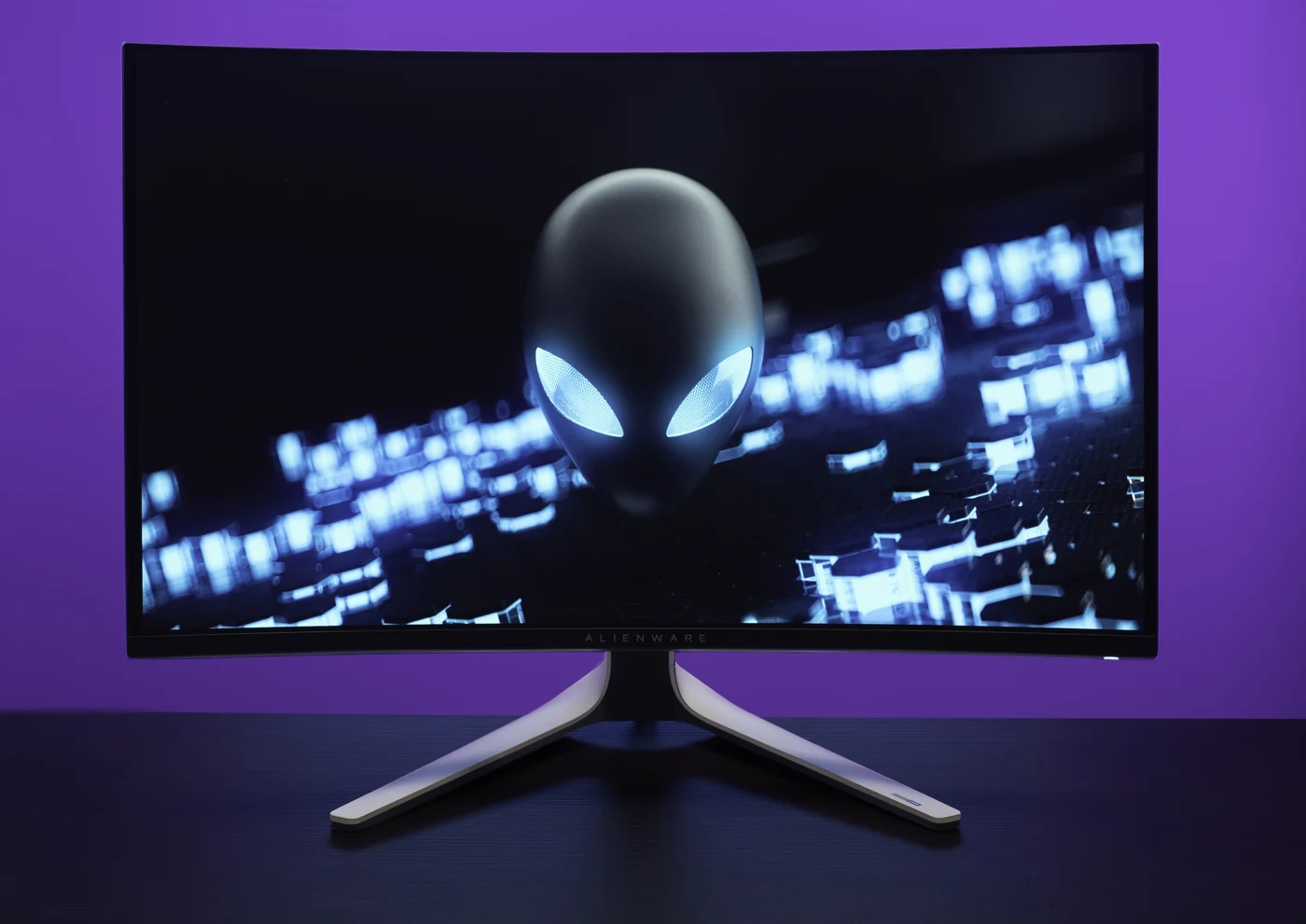
Alienware AW3225QF
For dark-room gaming. The 32-inch curved OLED accepts 4K at 120 Hz on either HDMI input.
An eARC soundbar uses one of the two HDMI inputs.
AOC Q27G3XMN
For a PC that runs games best at 1440p. Local dimming gives HDR highlights more range.
PS5 can run at 1440p and 120 Hz, with fixed refresh on this display.
HDMI modes on PS5 and Xbox
| Monitor | Panel | PS5 over HDMI | Xbox Series X|S over HDMI |
|---|---|---|---|
| Gigabyte M27UBuy on Amazon Paid link | 27-inch 4K IPS | 4K at 120 Hz with VRR. Fine color detail is reduced at this setting (4:2:0). | 4K at 120 Hz with VRR. The monitor also accepts 1440p at 120 Hz. |
| Alienware AW3225QFBuy on Amazon Paid link | 32-inch curved 4K QD-OLED | 4K at 120 Hz with VRR on either HDMI input. | 4K at 120 Hz with VRR. Leave HDMI 1 free if a soundbar needs eARC. |
| AOC Q27G3XMNBuy on Amazon Paid link | 27-inch 1440p Mini LED | 1440p at 120 Hz, fixed refresh. A 4K signal scales down to 1440p at up to 60 Hz. | 1440p at 120 Hz with FreeSync VRR. It also accepts 4K at 60 Hz and scales it to 1440p. |
Start with the HDMI input
For 120 Hz in a supported PS5 game, open Settings → Screen and Video → Video Output and set 120 Hz Output to Automatic. On the AOC, run Test 1440p Output and choose 1440p. If the PS5 says VRR is unavailable on this model, you can still play at 120 Hz. VRR lets the screen follow the game’s frame delivery when it fluctuates.
On Xbox, open Settings → General → TV & display options. Choose the resolution and 120 Hz, then open Video modes to enable variable refresh rate. AOC lists 1440p at 120 Hz on both Series X and Series S. A 4K/120 setting on a Series S describes the signal sent to the monitor. Each game chooses its own rendering resolution and frame rate.
Gigabyte specifies 4:2:0 color at 4K/120 from PS5 and Series X. That reduces the color resolution and can soften fine colored text against a contrasting background. For a PC used to read or edit small text, put the PC on DisplayPort and keep HDMI for the console.
PlayStation Support · video output and Test 1440p Output · Xbox Support · resolution and refresh settings · RTINGS · console signal test method · RTINGS · Gigabyte M27U testing · Gigabyte · M27U port list and 4K/120 color format · PC Monitors · M27U console signals and VRR · RTINGS · Alienware AW3225QF testing · AOC · Q27G3XMN resolution table and console inputs · Areajugones · Q27G3XMN console tests on PS5 and Series X
4K desktop text and OLED blacks
Small text and distant scenery look sharp at 4K on a 27-inch screen. The M27U is my pick for a spreadsheet by day and a console by night. Its built-in KVM can switch a keyboard and mouse between connected computers. Check the upstream USB connections in Gigabyte’s guide when you set that up.
A bright HUD beside a black sky is exactly where individually lit OLED pixels make sense. RTINGS found the panel’s blacks rise under ambient light. If the screen faces a bright window all afternoon, I’d move the desk before paying the OLED premium.
Gigabyte · M27U features and connections · RTINGS · Gigabyte M27U testing · RTINGS · Alienware AW3225QF testing
4K vs. 1440p on your graphics card
A 3840 × 2160 image contains 8.29 million pixels. A 2560 × 1440 image contains 3.69 million. That is 2.25 times as many pixels at 4K before upscaling. It does not predict a particular frame rate, but it explains why a 1440p screen can be the more enjoyable upgrade. Check a demanding scene in a game you actually play at both resolutions.
The AOC uses a Mini LED backlight to dim parts of its LCD image. That buys dramatic HDR highlights at 1440p. RTINGS also saw flicker as frames varied, which matters more in a stuttering game than in a benchmark with a steady frame rate. I’d take that combination for a PC with stable frame delivery. I’d look elsewhere for a player already bothered by flickering dark menus.
RTINGS · AOC Q27G3XMN testing · RTINGS · Alienware AW3225QF testing
Check the room, stand and cable before ordering
For the Alienware, plug the PC into DisplayPort, the console into HDMI 2 and an eARC soundbar into HDMI 1. That fills both HDMI ports. A second console will need a cable swap, a suitable switch or an audio setup that frees HDMI 1.
On the M27U, run the PC over DisplayPort and the consoles over HDMI. Plug powered stereo speakers into the earphone jack or use the built-in speakers. The AOC also has a 3.5 mm output for powered speakers.
Mark out the screen width and stand footprint on your desk before you order. A bright window reflected in the screen is a reason to favor the M27U for daytime work. In a dark room I’d take the OLED for the way a lit HUD stands out against a black sky.
Gigabyte · M27U port list and 4K/120 color format · Dell · AW3225QF HDMI, eARC and console specifications · AOC · Q27G3XMN resolution table and console inputs
Manuals and sources
- PlayStation Support · video output and Test 1440p Output
- RTINGS · console signal test method
- Gigabyte · M27U features and connections
- RTINGS · Gigabyte M27U testing
- RTINGS · Alienware AW3225QF testing
- RTINGS · AOC Q27G3XMN testing
- Gigabyte · M27U port list and 4K/120 color format
- PC Monitors · M27U console signals and VRR
- Dell · AW3225QF HDMI, eARC and console specifications
- AOC · Q27G3XMN resolution table and console inputs
- Areajugones · Q27G3XMN console tests on PS5 and Series X
- Xbox Support · resolution and refresh settings